> ## Documentation Index
> Fetch the complete documentation index at: https://docs.concord.ad/llms.txt
> Use this file to discover all available pages before exploring further.
# Changelog
> Concord changelog and product updates. Stay up to date with new features, improvements, and bug fixes shipped in Concord.
## Snapchat Ads and TikTok are live
Concord now connects to Snapchat Ads and TikTok. Connect your accounts from Settings and manage campaigns, creatives, and targeting across both platforms from a single chat, the same way you already work on DV360 and Meta.
[→ Connect a platform](https://app.concord.ad/settings/integrations)
## Your running campaigns, right on the home page
A new widget on the home page shows all your active campaigns at a glance, with brand logos for quick context. Click any row to open a chat scoped directly to that campaign, whether you want to pull a report, review delivery, or submit a change. No need to navigate first.
[→ Go to home](https://app.concord.ad/home)
## Every action your team submits, logged
The new History page in Settings gives you a complete log of every platform action submitted across your workspace, by every user. Filter by user, platform, or date, open any row for the full details, and export to CSV.
[→ Open History](https://app.concord.ad/settings)
***
**Also new:**
* **Print any chat.** Press Cmd+P (or Ctrl+P) from any conversation to get a print-ready version of the full chat. The sidebar and input are hidden automatically.
## Edit your files in chat
Concord can now read and modify Excel spreadsheets, PowerPoint presentations, and Word documents directly from the conversation. Ask for a budget update in a spreadsheet, a new slide in a deck, or a section rewrite in a brief, and Concord returns the updated file ready to download.
This is in early access. [Reach out](mailto:support@concord.ad) to get it enabled for your workspace.
[→ Start a chat](https://app.concord.ad)
## Automations, now on autopilot
Concord can now run automations on schedule without you in the loop. When a run completes, you get an email summary with a direct link to continue the conversation in Concord.
Automations are in early access. [Contact us](mailto:support@concord.ad) to get your workspace whitelisted.
[→ Learn about notifications](https://docs.concord.ad/features/notifications/notifications-overview)
## Sharper, more flexible reporting
DV360 reports no longer require a campaign ID or advertiser ID. Ask for performance data at any scope, from a single line item to your entire account, and Concord pulls the right numbers. Advertiser currency now flows through end to end, and data accuracy is meaningfully improved across the board.
[→ Pull a report](https://app.concord.ad)
***
**Also new:**
* **Google Drive + Sheets.** Drive folders appear in your media-plan sidebar, navigable inline. Google Sheets are now readable by the agent sheet by sheet.
* **Meta product catalogs.** Search your Meta catalogs from chat, with inline product thumbnails. Ask Concord to build a Collection ad and it generates the Instant Experience canvas for you.
* **Temporary Chat.** A ghost icon in the chat toolbar starts a session that is not saved to your history.
* **Platform actions sidebar.** The action payload now displays as a collapsible inline tree, no separate view needed.
* **DV360 blacklist.** Optimization recommendations are now surfaced as platform actions, reviewed and approved before they go live.
## Invite your team yourself
You can now invite teammates to your Concord workspace directly from the app. Go to Settings, open the Collaborators tab, enter an email address, and pick a role. The invitation goes out immediately.
You can resend or cancel any pending invitation from the same page.
[→ Invite a teammate](https://app.concord.ad/settings/collaborators)
## The agent reads your files more deeply
When you upload a file in chat, Concord now analyzes it more thoroughly. It can work through spreadsheets sheet by sheet, detect what each one contains, and build on that content directly in the conversation. Whether you're sharing a media plan, a targeting list, or a data export, the agent has more to work with.
[→ Start a new chat](https://app.concord.ad)
***
**Also fixed:**
* **Search.** Brand and media plan search now works across accented characters.
* **Sidebar.** Shows recently visited brands when you have fewer than 5 favorites.
## Skills, a new form of memory
Concord now remembers how your team works.
Skills are bite-sized, named memories: brand naming rules, the way you set up a TrueView line item, your QA checklist before launch, the columns you always want in a report. Concord pulls in the right ones the moment they become relevant, so you stop typing the same thing in every chat.
Each Skill stands on its own. Edit one, scope it to a brand, or turn it off without touching the rest.
[→ Open Skills](https://app.concord.ad/settings/skills)
## Concord updates its memory itself, or just ask
Two ways memory grows.
Concord watches the patterns in your chats. When it spots a recurring preference, like a naming convention you keep correcting, it proposes a new Skill on the spot. Accept it, and the next chat already knows.
Or take the wheel. Tell Concord "remember to always do X for this brand" and it writes the Skill for you. Workspace-wide by default, or scoped to specific brands so the rule only kicks in where it should.
[→ Create a Skill](https://app.concord.ad/settings/skills)
## Also new, Questionnaires in chat
When Concord needs a decision from you, it now opens a Questionnaire instead of asking in plain chat.
Each question comes with quick-answer options Concord recommends based on what it already knows: the brand you're working on, the conversation so far, the platform you're targeting, and your Skills. Pick one with a click, or type your own answer in the free-text field, with file attachments if you need them.
[→ Start a new chat](https://app.concord.ad/home)
## A new sync engine for DV360 and Meta
 You may have hit: *"Concord can't find this campaign"* or *"this line item doesn't exist"*, when it clearly did. Known issue, frustrating, fixed.
We rebuilt the way Concord stays in sync with DV360 and Meta, around a new deep and live sync.
Your campaigns, line items and targetings are refreshed continuously and reliably, so what Concord sees is what's actually on the platform.
The "resource not found" moments are behind us.
[→ Create a campaign](https://app.concord.ad/home)
## A more robust campaign-building agent
You may have hit: *"Concord can't find this campaign"* or *"this line item doesn't exist"*, when it clearly did. Known issue, frustrating, fixed.
We rebuilt the way Concord stays in sync with DV360 and Meta, around a new deep and live sync.
Your campaigns, line items and targetings are refreshed continuously and reliably, so what Concord sees is what's actually on the platform.
The "resource not found" moments are behind us.
[→ Create a campaign](https://app.concord.ad/home)
## A more robust campaign-building agent
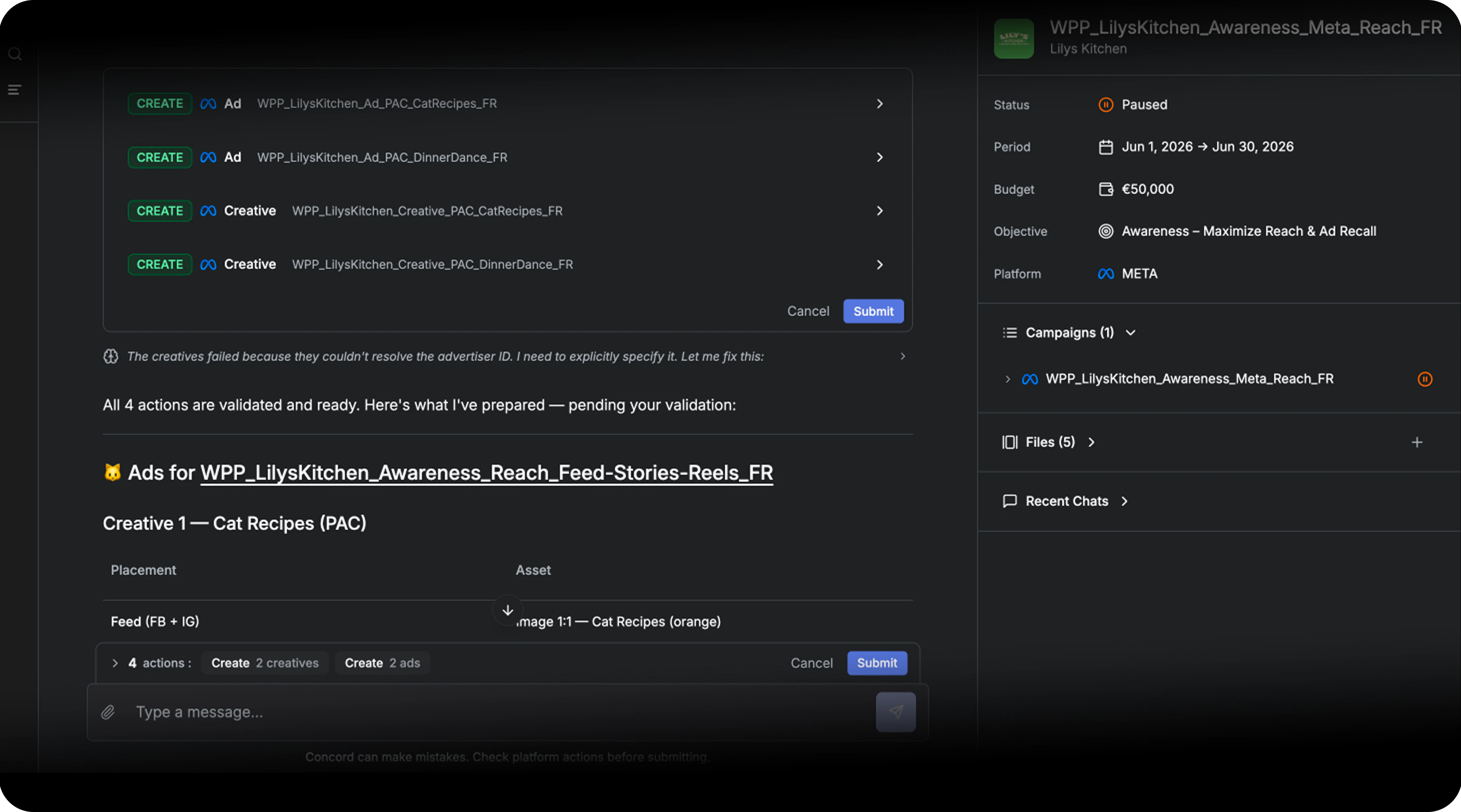 The agent has gotten noticeably steadier on real campaign work.
It handles more files at once, recovers from a wider range of errors on its own, and lets you bring stuck automations back on track, so building or fixing a campaign takes fewer back and forths.
Less friction, more results.
[→ Start a new chat](https://app.concord.ad/home)
## Browser notifications, work in parallel
The agent has gotten noticeably steadier on real campaign work.
It handles more files at once, recovers from a wider range of errors on its own, and lets you bring stuck automations back on track, so building or fixing a campaign takes fewer back and forths.
Less friction, more results.
[→ Start a new chat](https://app.concord.ad/home)
## Browser notifications, work in parallel
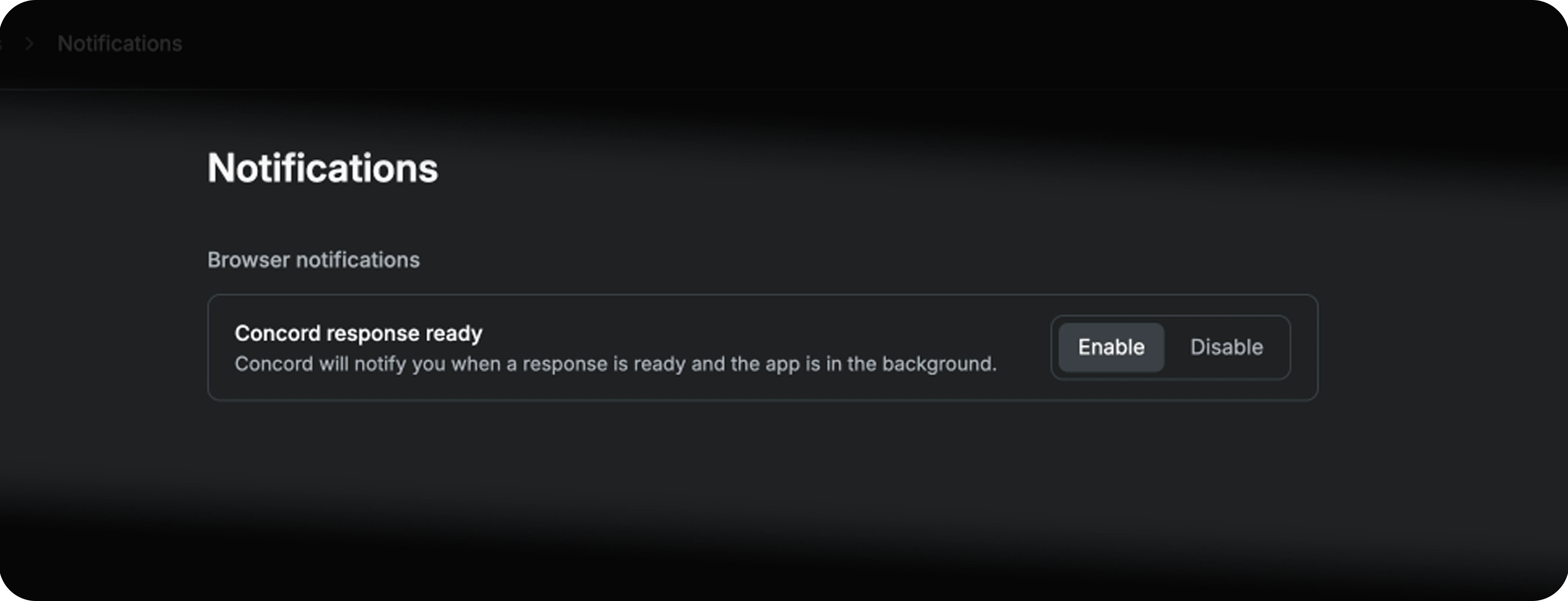 Stop watching the tab.
Concord now pings you in your browser when a run completes or an action is ready to review.
Launch a campaign build, switch to your media plan, your inbox or another brand, and come back exactly when it matters.
[→ Try it now](https://app.concord.ad/settings/notifications)
***
**Also fixed and improved:**
* **DV360 pacing guardrail.** Flight Ahead and Even pacing are now blocked on Unlimited budgets.
* **TrueView and Demand Gen.** Auto-cancel of line items under IO with a non-Amount Budget Type, Video Ad Inventory Control required for Reach subtype, Category Exclusions only applied where they belong.
* **Meta video uploads.** Heavy files now ship via chunked upload (no more failures on big creatives).
## Charts in your report
Stop watching the tab.
Concord now pings you in your browser when a run completes or an action is ready to review.
Launch a campaign build, switch to your media plan, your inbox or another brand, and come back exactly when it matters.
[→ Try it now](https://app.concord.ad/settings/notifications)
***
**Also fixed and improved:**
* **DV360 pacing guardrail.** Flight Ahead and Even pacing are now blocked on Unlimited budgets.
* **TrueView and Demand Gen.** Auto-cancel of line items under IO with a non-Amount Budget Type, Video Ad Inventory Control required for Reach subtype, Category Exclusions only applied where they belong.
* **Meta video uploads.** Heavy files now ship via chunked upload (no more failures on big creatives).
## Charts in your report
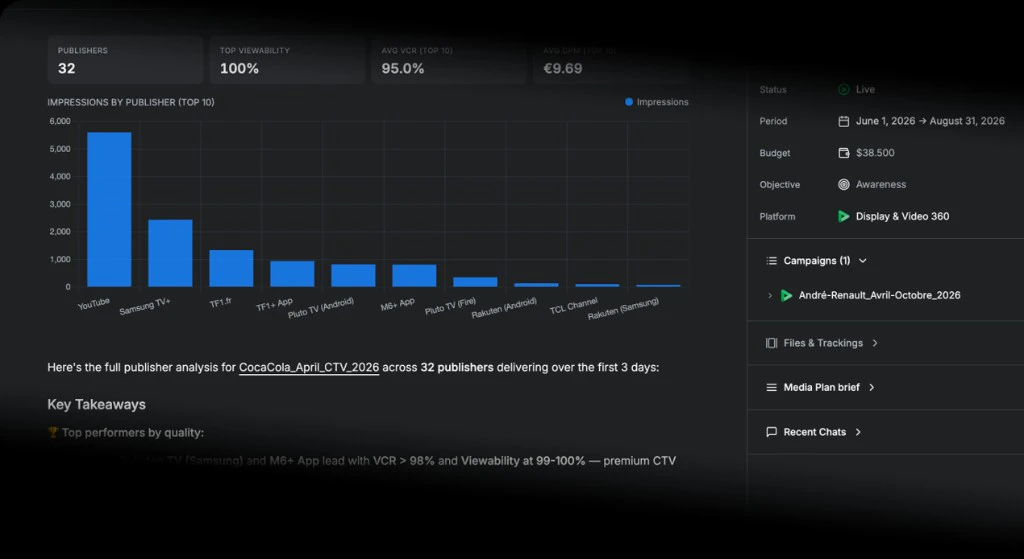 Performance data is now rendered as charts directly in the chat. Ask Concord for a report and get impressions, viewability, VCR, and cost visualized by day, with interactive tooltips.
[→ Generate a report and charts](https://app.concord.ad/home)
## Reply to any message
Performance data is now rendered as charts directly in the chat. Ask Concord for a report and get impressions, viewability, VCR, and cost visualized by day, with interactive tooltips.
[→ Generate a report and charts](https://app.concord.ad/home)
## Reply to any message
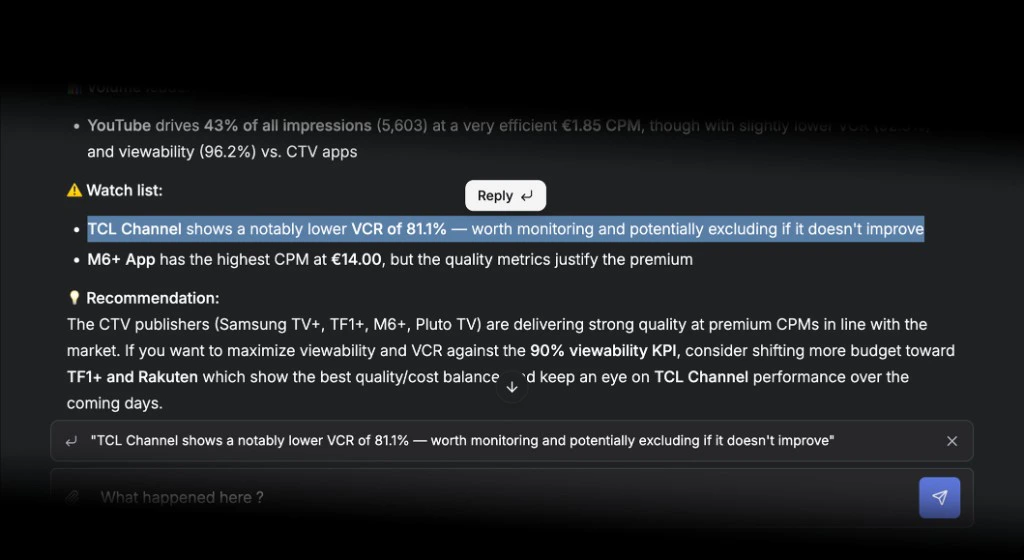 Select any text in a Concord response and a **Reply** button appears. Click it to attach the selected text as context to your next message. The right context stays attached to the right question.
[→ Start a new chat](https://app.concord.ad/home)
## Theme & dark mode
Select any text in a Concord response and a **Reply** button appears. Click it to attach the selected text as context to your next message. The right context stays attached to the right question.
[→ Start a new chat](https://app.concord.ad/home)
## Theme & dark mode
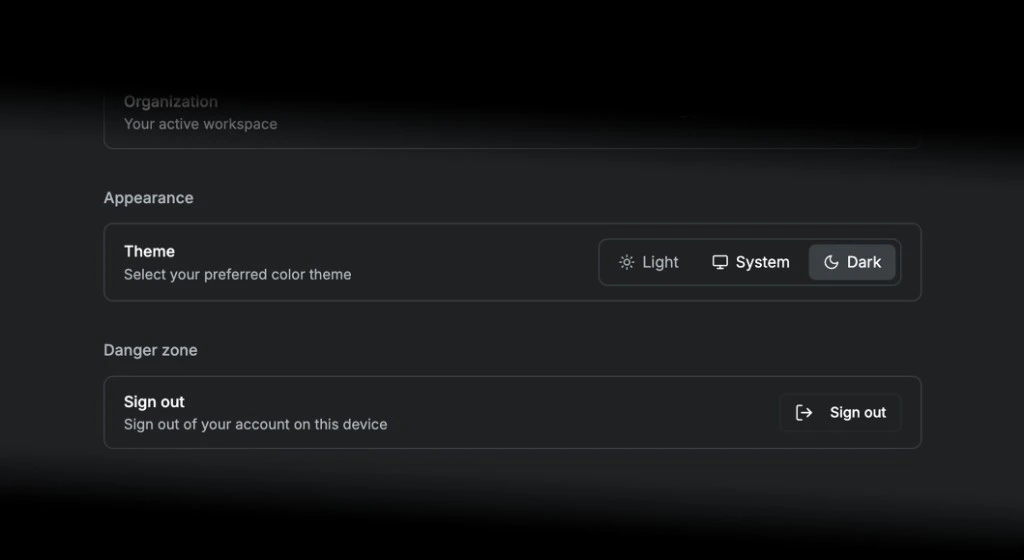 You can now choose your preferred color theme directly from your profile. Go to **Settings > Profile > Appearance** and pick Light, Dark, or System. The change applies instantly across the entire interface.
[→ Choose my theme](https://app.concord.ad/settings/profile)
## Manage your scope
You can now choose your preferred color theme directly from your profile. Go to **Settings > Profile > Appearance** and pick Light, Dark, or System. The change applies instantly across the entire interface.
[→ Choose my theme](https://app.concord.ad/settings/profile)
## Manage your scope
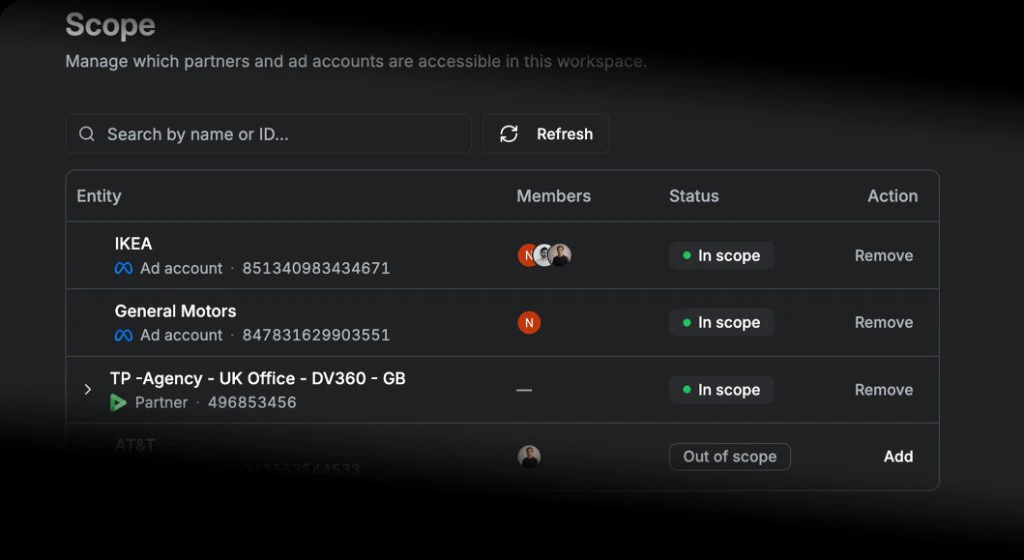 You can now control exactly which Meta ad accounts and DV360 partners Concord has access to, directly from your workspace settings.
Add or remove entities in one click. Everything in scope is immediately available for Concord to read, report on, and act on. Brands are created automatically for each entity you activate.
Only workspace admins can edit scope.
[→ Manage scope](https://app.concord.ad/settings/scope)
## Meta integration
You can now control exactly which Meta ad accounts and DV360 partners Concord has access to, directly from your workspace settings.
Add or remove entities in one click. Everything in scope is immediately available for Concord to read, report on, and act on. Brands are created automatically for each entity you activate.
Only workspace admins can edit scope.
[→ Manage scope](https://app.concord.ad/settings/scope)
## Meta integration
 Concord now supports Meta: create and manage campaigns across DV360 and Meta Ads from a single chat.
[→ Connect Meta](https://app.concord.ad/settings/integrations)
## On-demand DV360 reporting
Concord now supports Meta: create and manage campaigns across DV360 and Meta Ads from a single chat.
[→ Connect Meta](https://app.concord.ad/settings/integrations)
## On-demand DV360 reporting
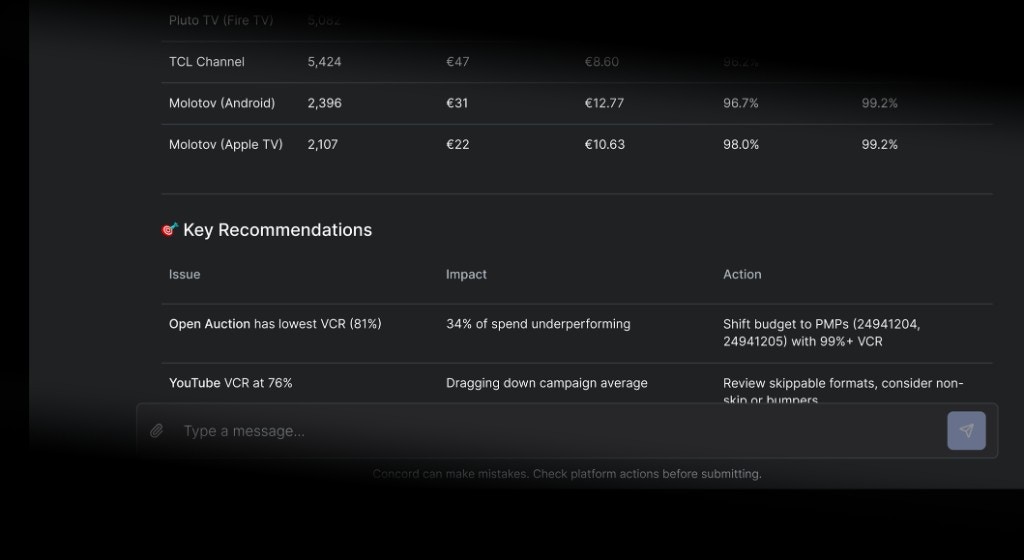 You can now ask Concord for a performance report directly from the chat. Describe what you need and Concord pulls DV360 data in real time.
Want to know which creatives drove the most completions last week, or which devices converted best on your latest campaign? Just ask. Concord breaks the numbers down for you and computes derived metrics like CTR, CPM, and video completion rate automatically.
[→ Create a report now](https://app.concord.ad/home)
## Favorites at the top of your sidebar
You can now ask Concord for a performance report directly from the chat. Describe what you need and Concord pulls DV360 data in real time.
Want to know which creatives drove the most completions last week, or which devices converted best on your latest campaign? Just ask. Concord breaks the numbers down for you and computes derived metrics like CTR, CPM, and video completion rate automatically.
[→ Create a report now](https://app.concord.ad/home)
## Favorites at the top of your sidebar
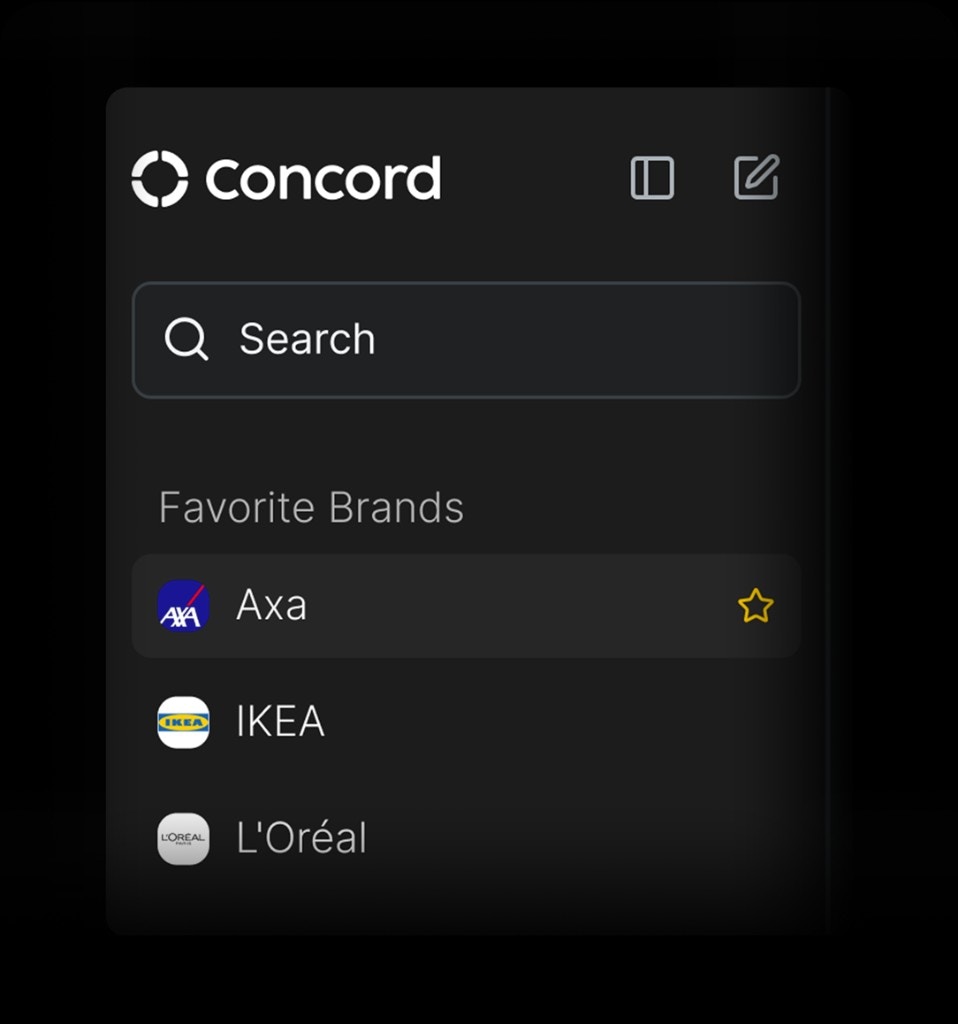 Favorited brands now appear in their own section at the top of the sidebar, so your most-used brands are always one click away without scrolling through the full list.
[→ Add my favorite brands](https://app.concord.ad/home)
## Version history for instructions
Favorited brands now appear in their own section at the top of the sidebar, so your most-used brands are always one click away without scrolling through the full list.
[→ Add my favorite brands](https://app.concord.ad/home)
## Version history for instructions
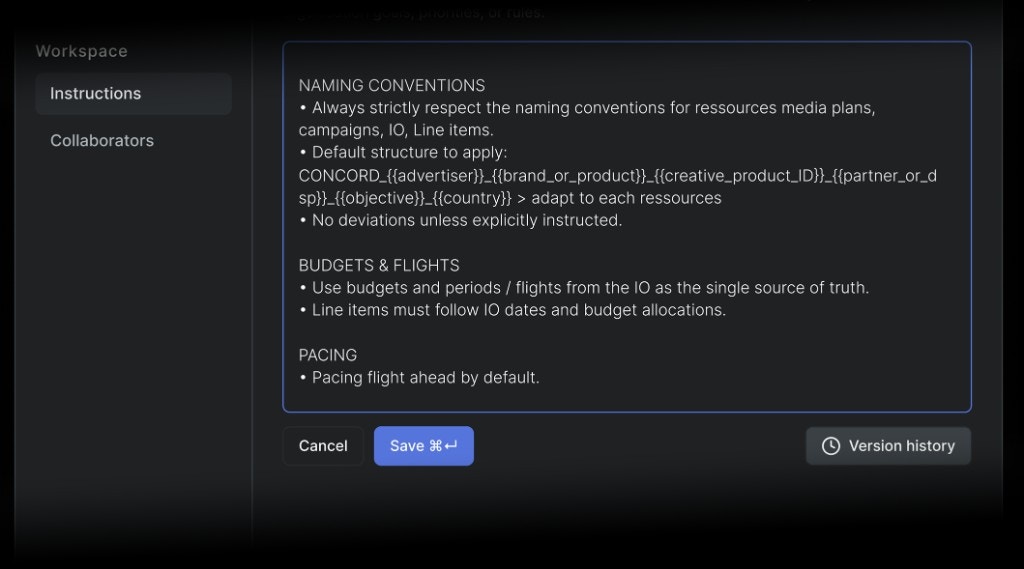 Every time you update your [workspace or brand instructions](/features/instructions/workspace-instructions), Concord now saves the previous version. Browse the history, see exactly what changed word by word, and restore any previous version in one click, no more copy-pasting into a doc before editing.
[→ Update my instructions](https://app.concord.ad/settings/instructions)
## See which DV360 partners you have access to
Every time you update your [workspace or brand instructions](/features/instructions/workspace-instructions), Concord now saves the previous version. Browse the history, see exactly what changed word by word, and restore any previous version in one click, no more copy-pasting into a doc before editing.
[→ Update my instructions](https://app.concord.ad/settings/instructions)
## See which DV360 partners you have access to
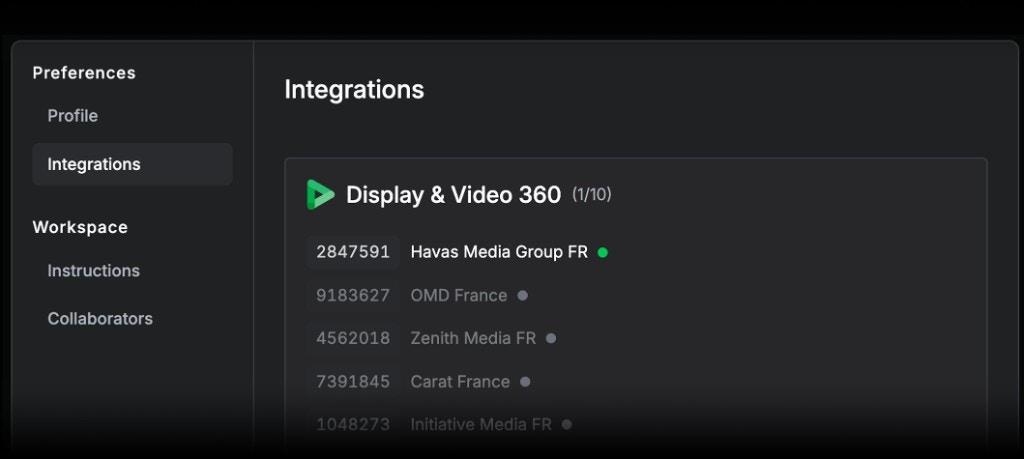 The [DV360 integration page](/integrations/dv360/dv360-management) now shows at a glance which partners Concord can actually reach. Partners you have access to are marked in green; others show a clear explanation of why they are out of scope. A counter at the top tells you how many are available without checking one by one.
[→ See my integrations](https://app.concord.ad/settings/integrations)
The [DV360 integration page](/integrations/dv360/dv360-management) now shows at a glance which partners Concord can actually reach. Partners you have access to are marked in green; others show a clear explanation of why they are out of scope. A counter at the top tells you how many are available without checking one by one.
[→ See my integrations](https://app.concord.ad/settings/integrations)