

Open scope
Manage scope in Concord.
How scope works
The Scope page lists every account your workspace’s connections can reach. An account in scope is synced automatically, with its history backfilled in the background, and is available for reporting, edits, and optimizations. An account out of scope is ignored. Scope applies to the whole workspace. Within it, each member works on the accounts their own platform connection reaches.The Accounts tab
Use the search field, the platform filter, and Refresh at the top. Refresh updates the accounts in scope that you can reach; the others refresh when a teammate who can reach them does.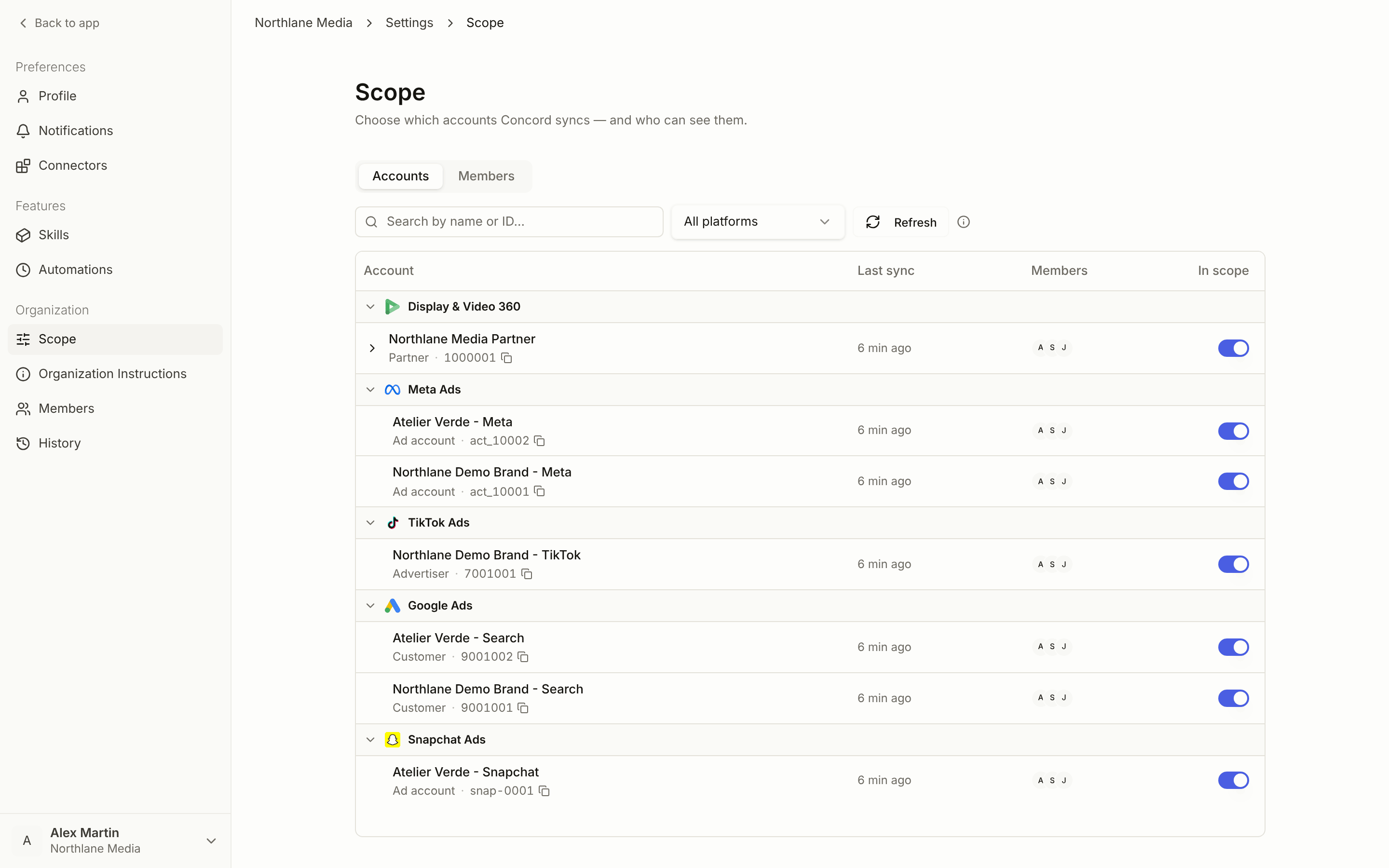
- Account: name, type, and platform ID (click the ID to copy it)
- Last sync: when the account last synchronized
- Members: the teammates whose connection reaches the account. No one can sync means nobody’s connection reaches it, so it will not refresh until someone who can reach it connects.
- In scope: the toggle that puts the account in or out of scope
Save your changes
Toggles are staged. A bar at the bottom shows how many accounts are to be added or removed, with Cancel and Save scope. Confirm in Save scope changes?: added accounts start syncing right away, removed ones stop syncing.The Members tab
The Members tab shows, for each member, the accounts in scope they can reach.Permissions
Only Owners and Admins can change scope. Members can view both tabs but cannot make changes. You can only add accounts that a connected member can reach. If an account you expect is missing, check that the connection is healthy and that access is granted on the platform side, then click Refresh. The same table appears on each advertising connector’s page in Settings → Connectors, with Manage full scope → linking here.Campaigns belonging to accounts out of scope cannot be read or edited, even if the connector is connected.