

What platform actions are
Platform actions are the changes Concord prepares when you ask for a campaign to be created or modified. Nothing is applied to your campaigns until you submit them.How platform actions work
1
You make a request
“Increase budget for my top performing campaigns by 20%”
2
Concord prepares the platform actions
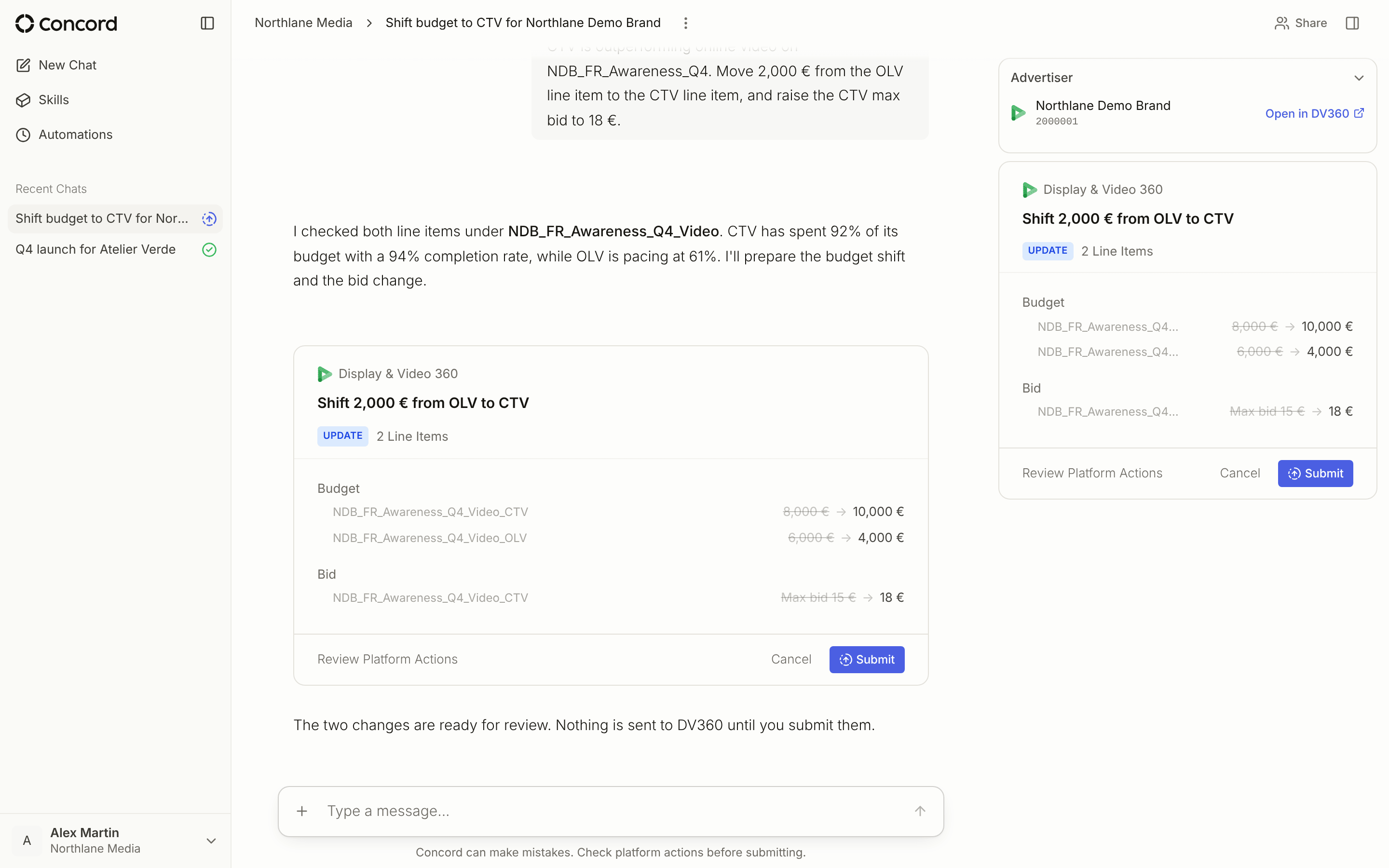
A card in the conversation shows exactly what will change, object by object.
3
You review and submit
Open Review Platform Actions, then Submit or Cancel.
4
Concord applies the changes
Only after you submit are the changes sent to your advertising platform accounts, with a status per action.
What a platform action contains
A platform action is a field-by-field diff, not a summary. For every object it touches you see:- The field, its current value, and its proposed value
- The object it applies to — campaign, insertion order, line item, ad set, ad group, asset group, ad, creative, keyword
- The operation — create or update
Statuses you see
- Submitted — sent to the platform
- Failed — the platform rejected it; the card shows the error and a Retry button
- Canceled — canceled at your request, or by Concord
- Outdated — a newer version of the same action is available
Everything created lands in a non-active state
Newly created campaign resources are created in a non-active state — paused, draft, or disabled depending on the platform. Activation is a separate update that you review and submit like any other. On Meta, Snapchat, and Google Ads this is enforced below the agent: a create action that asks for an active status is overridden. One exception: Google Ads does not accept paused App ads, so they are created enabled under a paused campaign, which holds delivery. See Testing without going live.Types of platform actions
Budget and pacing
- Increase or decrease campaign budgets
- Reallocate spend between campaigns
- Adjust daily spending limits
- Extend or shorten campaign flight dates
Targeting
- Refine audience parameters
- Add geographic or demographic exclusions
- Modify device or placement targeting
- Update bid strategies and goals
Campaign management
- Pause underperforming campaigns
- Resume paused campaigns
- Create new campaigns or duplicate successful ones
- End completed campaigns
Creatives
- Add, swap, or pause creative assets