

Open Automations
Manage your automations.
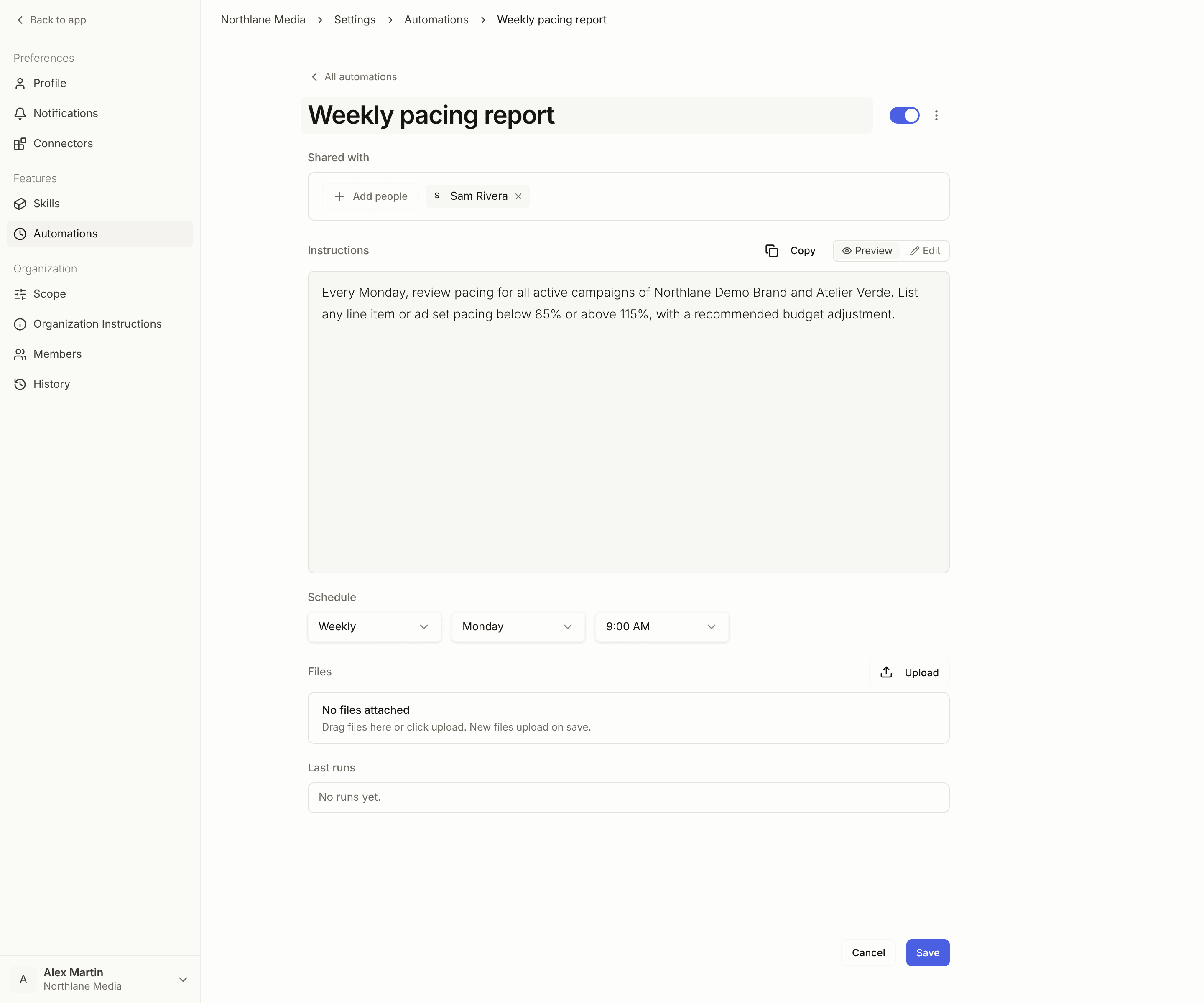
Setting one up
1
Name it
A clear name, so you can identify it in the list later.
2
Choose who it is shared with
Under Shared with, click Add people to pick teammates, or choose Everyone in the workspace. Leave it empty and the automation is yours alone.
3
Write the instructions
Describe what should happen, as specifically as you would in a conversation: the advertiser and campaigns, the report you want, the checks to perform, the changes to prepare.
4
Set the schedule
Daily, Weekly, Weekdays, or Custom, with the time of day.
5
Attach files (optional)
Any reference the run should use — a brief, a targeting list, a template.
Running one on demand
Run now executes an automation immediately, without waiting for its next scheduled interval. It behaves exactly like a scheduled run: the same instructions, the same context, the same output on the run, the same report to the people it is shared with. Two things it is good for:- Checking a new automation does what you meant before it runs unattended at 8am on Monday.
- Getting the output when you need it early — the report a day ahead of the schedule, without touching the schedule.
Starting from a template
New automation offers the templates published to your workspace. Click Use this → on one and it seeds the form, which you then own and edit. Or write one from scratch → starts from an empty form.Sharing an automation
An automation carries a Shared with audience: named teammates, or everyone in the workspace. What sharing actually does:- The run’s conversation is shared before the agent starts, so it is already theirs when the result lands — nobody has to be added after each run.
- The report email reaches them too. The creator is in the To field and everyone else is blind-copied, so a report never exposes one teammate’s address to another.
- Everyone in the workspace resolves at run time. A teammate who joins next month is included without anyone editing the automation.
- Membership is re-checked at each run. Someone who leaves the workspace stops receiving the conversations and the reports.
Who gets told what
- Someone you add gets an invitation naming you, the automation, a one-line summary of what it does, and when it next runs.
- You get a confirmation when you create one, listing who will receive it.
- An edit only notifies the people it adds. Saving ten times does not mail your teammates ten times, and an edit that leaves the audience alone sends nothing.
- A paused automation says so rather than quoting a next run that is not scheduled.
Sharing from the conversation
You can also set the audience by asking:What happens when it runs
Concord executes the instructions exactly as it would from a conversation, using your Skills for context. The result is put on the run itself — the report, the findings, the proposed changes — so the conversation holds the output and you can pick the work back up from there. An automation prepares work; it does not approve it. Anything that would write to an advertising platform still becomes a platform action waiting for a human.Finding an automation
The Automations page lists the automations you created or that are shared with you. Use Search automations to find one, and sort by next run, name, or newest. A paused automation shows a Paused badge. Their latest conversations also appear under Recent Automations in the sidebar.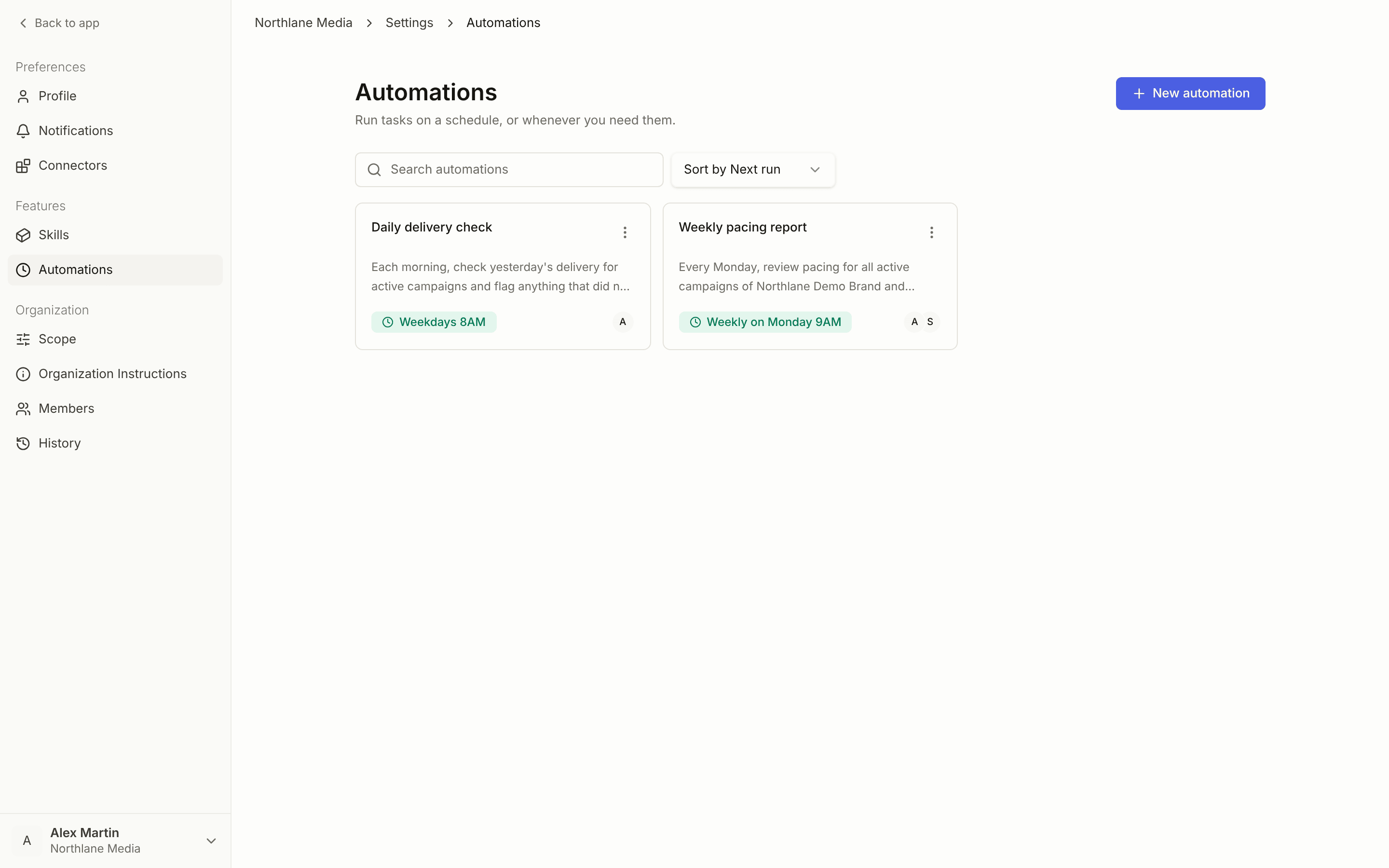
Run history
Each automation lists its Last runs, with a status per run — Completed, Failed, Running, Pending, Waiting, Aborting, Cancelled. Open a run to see what it produced, or to find out why one did not finish.Good candidates
- A weekly performance report ready before your Monday review
- A daily pacing check across active campaigns
- An end-of-flight summary at the close of each campaign
- A recurring QA pass on setups built during the week