

Open Connectors
Manage your connections in Concord.
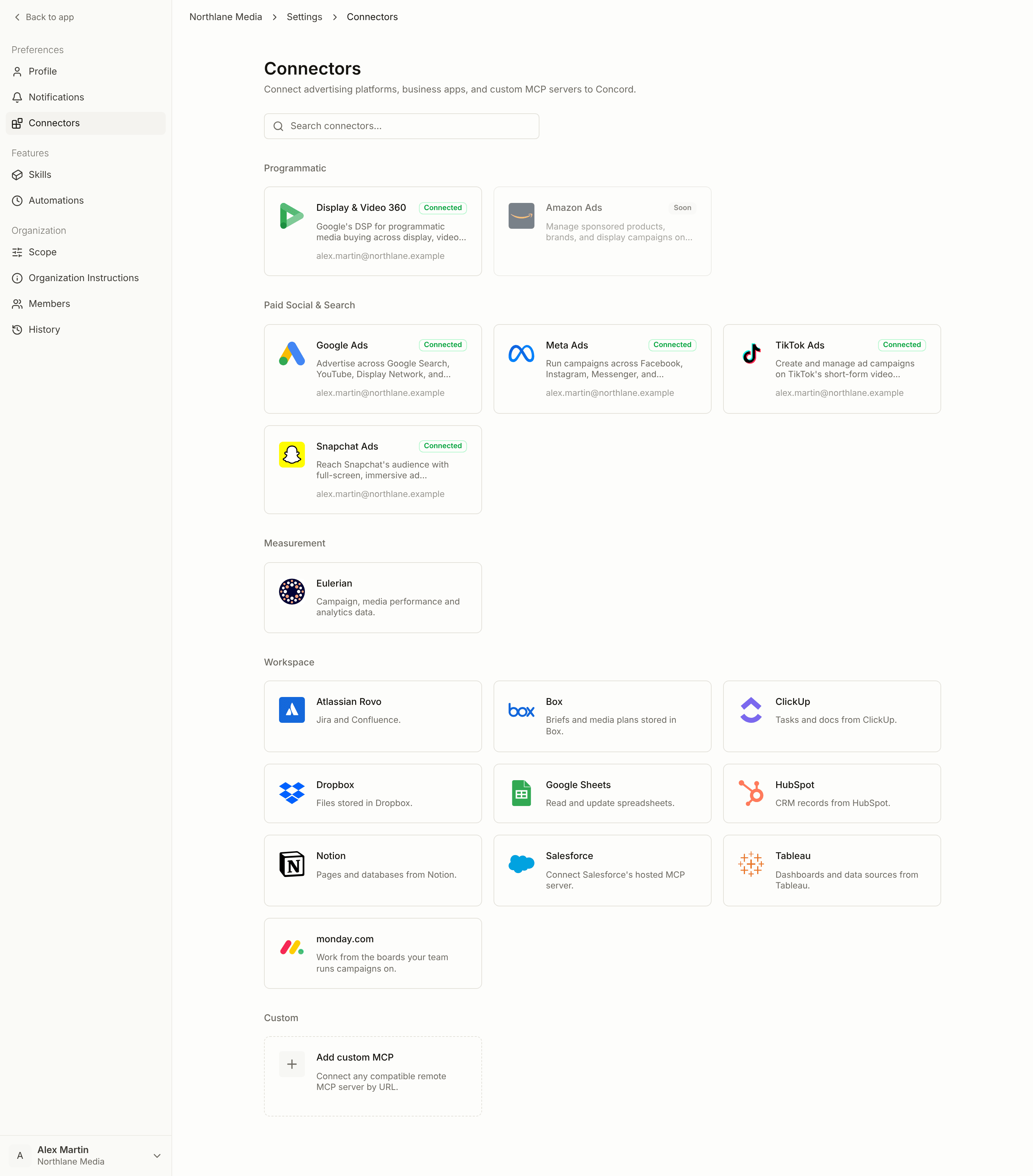
Advertising platforms
Display & Video 360
Programmatic buying across display, video, and audio
Google Ads
Search, Demand Gen, and Performance Max
Meta Ads
Facebook, Instagram, Messenger, Audience Network
TikTok Ads
Campaigns, audiences, and creatives on TikTok
Snapchat Ads
Full-screen formats, Lens, and Collection
Workspace tools
Monday
Work from the boards your team runs campaigns on
Salesforce
Connect Salesforce’s hosted MCP server
Measurement
Eulerian brings campaign, media performance, and analytics data into the conversation, so Concord can compare it with platform delivery.Your own MCP servers
Any workspace can add its own MCP server with the Add custom MCP card, in the Custom category. Its tools become available to Concord in your conversations.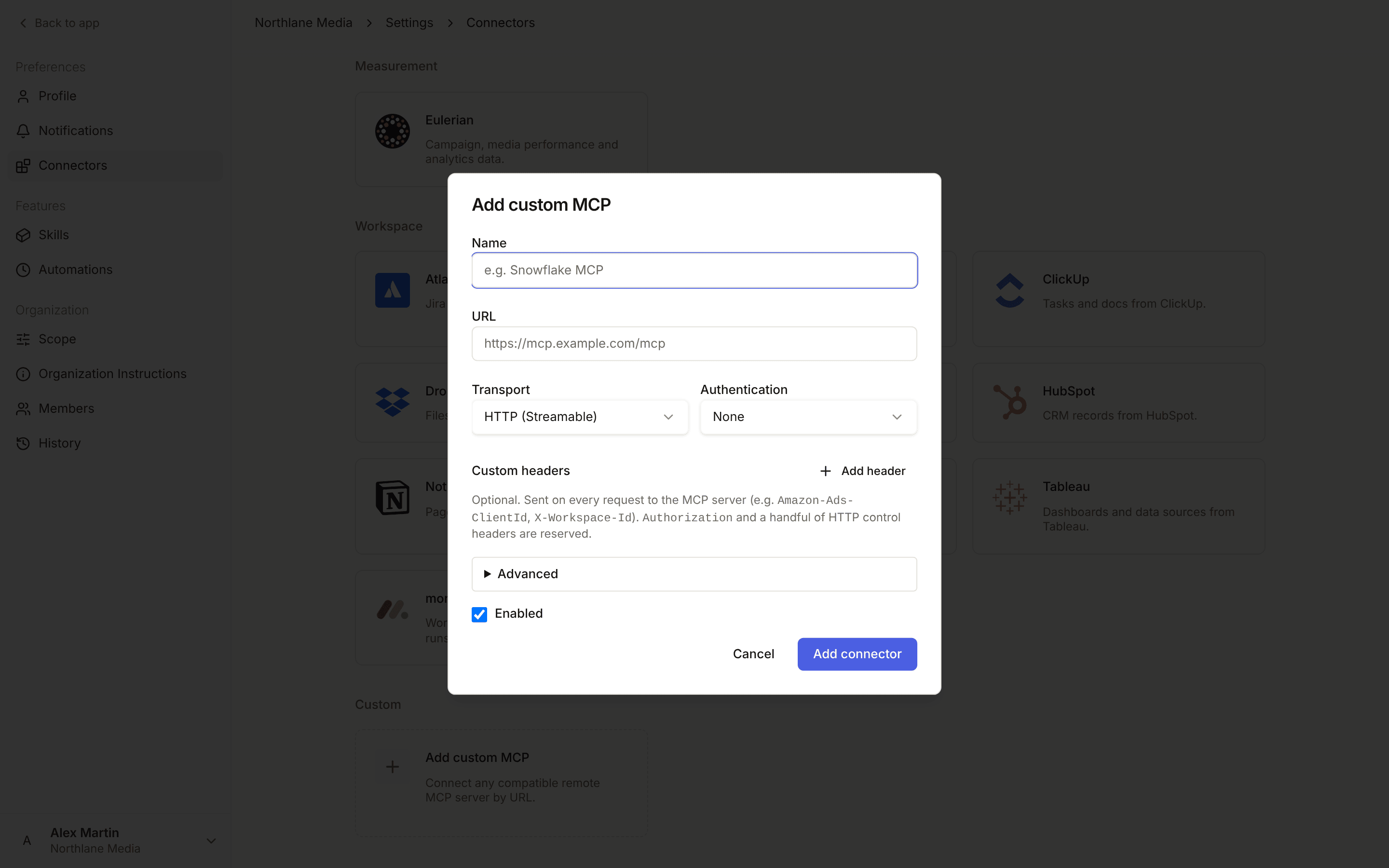
1
Name and address
Enter a Name (for example “Snowflake MCP”) and the server URL. The transport is HTTP (Streamable).
2
Authentication
Choose None, Bearer token, or OAuth 2.1. With OAuth, leave OAuth Client ID empty and Concord registers itself automatically when the server supports it. Otherwise, enter the client ID and secret you registered with your provider, as Entra ID, Okta, Auth0, Cognito, and Salesforce require. You can also set OAuth scopes, Authorization parameters, and the Client authentication method.
3
Optional settings
Add Custom headers if the server needs them. Under Advanced, describe What this server is for so Concord knows when to use it.
4
Tool permissions
For each tool, choose Always allow, Auto, Ask every time, or Exclude, or keep the Default.
5
Connect
Click Connect.
Bring Concord into your own tools
Concord is also available as an MCP server, so Claude, Cursor, or an agent you build can talk to the Concord agent directly. See the Concord MCP server page.Partnership status
Concord is a Meta Tech Certified Provider and a Google Tech Partner. Both are partnership statuses granted by those platforms — they are not security certifications, compliance audits, or endorsements of campaign results.How much of each platform is covered
Connectivity is not the same as full feature coverage. Each connector page lists what Concord supports and what has to be done in the platform’s own interface.Connections are per user
Each member connects the platforms and accounts they are individually authorized to access. Concord never holds broader platform access than the person who granted it. An admin then decides which of those advertisers and accounts the workspace activates, through scope. Only entities in scope are visible to Concord.Managing a connection
Each connector has its own detail page. Open it to see the connected account, review what is in scope, and reconnect or disconnect. Connection status- Connected: healthy, synchronizing normally
- Error: needs attention, usually a re-authentication
- Not connected: no active connection