

Where the review happens
Each group Concord prepares is a card in the conversation. Click Review Platform Actions on the card for the full review screen: every field with its before and after, the Submit and Cancel controls, and an Ask for changes to these actions… box. Asking for a change sends it as a normal message, so the corrected group arrives in the same thread.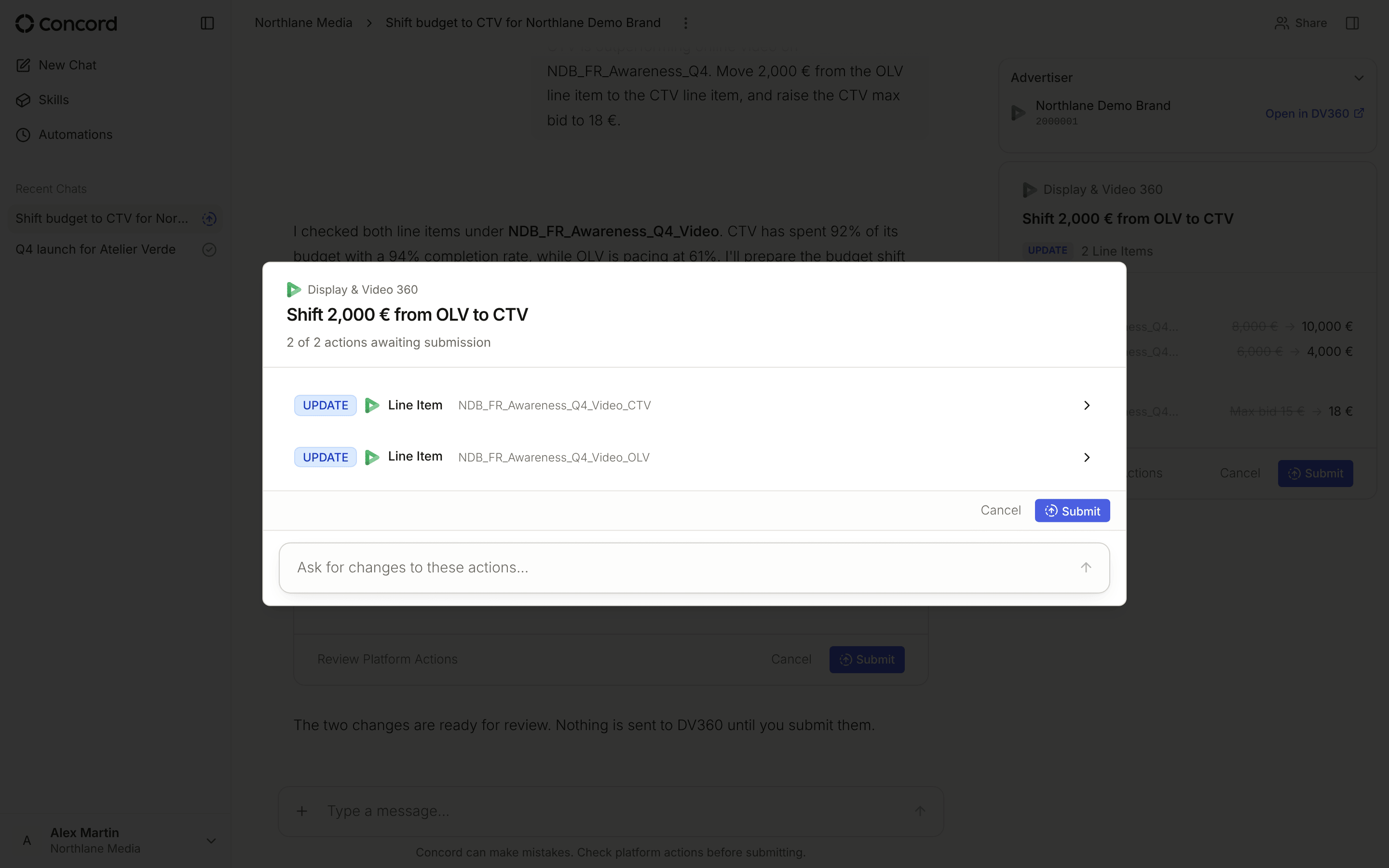
What to check
Does the diff match what you asked for? The most useful check by far. The action shows every field, before and after — read the fields you care about rather than the summary. Is the scope what you expected? Which campaigns, ad sets, line items, and creatives are touched. An action group that reaches further than your request did is the signal to stop and ask. Are the budget and dates right? Amount, currency, and flight dates. Currency is the one that quietly produces a figure off by orders of magnitude. Is the timing right? Seasonality, other campaigns in flight, and anything your client has agreed elsewhere. Concord does not know about a commitment that lives in an email. Do you understand the dependencies? Actions execute in order — a parent object before its children. The group shows what executes together.Submitting
Click Submit. A short countdown starts before anything is sent; click the button again during the countdown to cancel it. When the countdown ends, Concord submits. Each action gets its own status, so if one fails you can see which and why rather than guessing at the group. A failed action shows the platform’s error and a Retry button. Anything newly created lands in a non-active state. Submitting a build does not start delivery — see Testing without going live.Re-confirming protected fields
If a platform rejects an action and correcting it would change a protected field such as a budget, Concord does not apply the correction on its own. The action shows Re-confirmation required with the platform’s error, and you submit again to confirm the change.Other approvals
Some operations outside a platform action group — creating an audience, duplicating a Meta campaign, ad set, or ad — ask for your go-ahead in the conversation with Approve and Deny, under “Waiting for your approval to continue.”Canceling
Canceling is clean. Nothing half-applies, and nothing is left in a partial state on the platform: the action group is simply not submitted. Common reasons to cancel:- The action does not match what you asked for
- The budget change is larger than you are comfortable with
- The timing conflicts with something Concord cannot see
- You want a smaller version first